
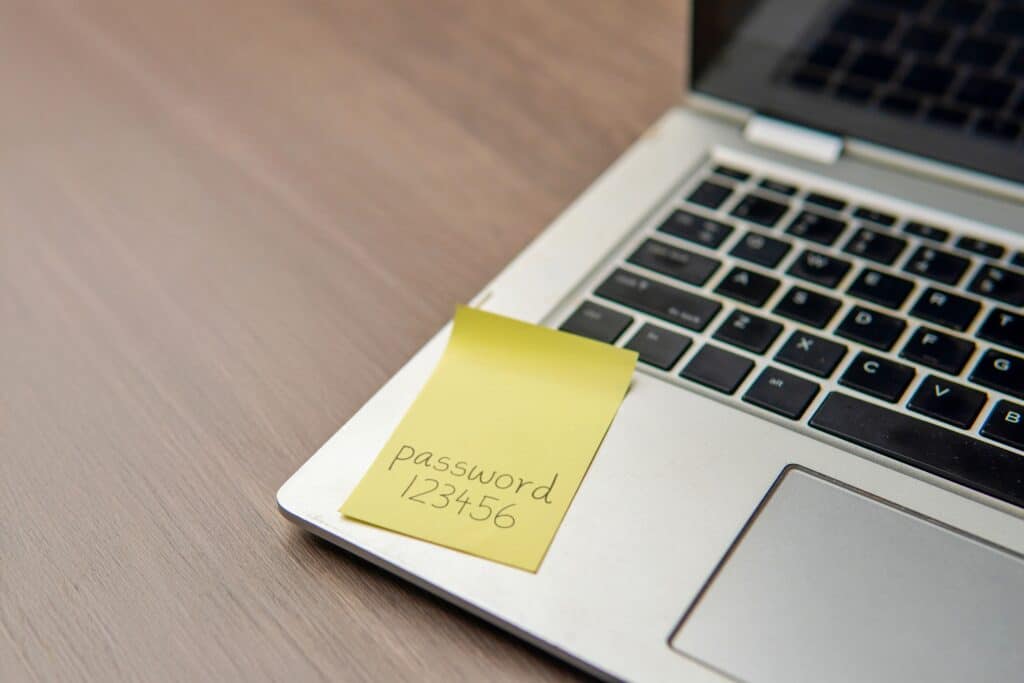
Passwords are the keys to your business.
They protect your emails, customer records, cloud platforms, financial systems, social media accounts and countless other services. Unfortunately, many organisations still manage these keys using spreadsheets, browser notes, shared documents or even pieces of paper.
When passwords are reused, shared insecurely or left active after an employee leaves, a single compromised login can put an entire business at risk.
Keeper is a password and passkey management platform designed to help businesses securely create, store, share and control access to their login credentials.
What Is Keeper Security?
Keeper is a secure digital vault that allows each employee to store passwords, passkeys and other sensitive information in one protected location.
Instead of remembering dozens of passwords or using the same memorable password across multiple accounts, employees can use Keeper to generate strong, unique credentials for every service.
Keeper can then automatically fill in saved usernames and passwords when they are needed, helping employees work more efficiently without weakening security.
Business subscriptions can include encrypted vaults for individual employees, shared team folders, password generation, administrative controls, policy enforcement and security reporting.
Why Is Password Management Important?
Most businesses use a growing collection of online systems, including:
- Microsoft 365
- Customer relationship management platforms
- Accounting software
- Website administration areas
- Social media accounts
- Cloud storage
- Online banking
- Supplier portals
- Marketing platforms
- Industry-specific applications
Expecting employees to remember a different complex password for every system is unrealistic.
Without a password manager, people often create simple passwords, reuse the same password across multiple services or save credentials somewhere that is easy to access.
These habits may be convenient, but they can also make it easier for cybercriminals to gain access to business systems.
A password manager removes the need to choose between security and convenience.
How Keeper Helps Protect Your Business
1. Strong, Unique Passwords for Every Account
Keeper includes a password generator that can create long, complex and unique passwords.
Employees do not need to remember these passwords because they are stored inside their encrypted vault. This makes it easier to avoid password reuse without making everyday work more difficult.
Should one website or service suffer a data breach, a unique password helps prevent the attacker from using the same credentials to access other company accounts.
2. An Encrypted Vault for Every Employee
Each authorised user receives a private vault where they can store their business credentials and other sensitive information.
Keeper uses end-to-end encryption and a zero-knowledge architecture. Encryption and decryption take place on the user’s device, helping to keep vault contents private.
This provides a much more secure alternative to saving passwords in spreadsheets, emails, notebooks or unprotected browser files.
3. Secure Password Sharing
There are times when several employees need access to the same business account. A marketing team might share social media credentials, for example, while an accounts department may need access to a supplier portal.
Sending passwords through email, text messages or workplace chat platforms can create unnecessary security risks. It can also make it difficult to track who has received a password and whether they still need it.
Keeper allows businesses to share records and folders through encrypted vaults rather than exposing passwords through unsecured communication channels. Administrators can manage access and remove permissions when they are no longer required.
4. Faster Employee Onboarding
A new employee may need access to multiple systems before they can begin working effectively.
Keeper allows authorised administrators to add users to the appropriate teams and shared folders. The employee can receive access to the accounts they require without passwords being passed around insecurely.
This can make the onboarding process quicker, more consistent and easier to manage.
5. Safer Employee Offboarding
Removing access when an employee leaves is just as important as providing it when they join.
With a centrally managed business password manager, administrators have greater visibility over user access and can remove the employee from relevant vaults, teams and shared folders.
Passwords for important shared accounts should still be reviewed and changed where appropriate, but Keeper provides a clearer and more controlled offboarding process.
Typical accounts to review include:
- Shared inboxes
- Website administration accounts
- Social media profiles
- Customer databases
- Supplier portals
- Cloud services
- Internal business applications
6. Administrative Policies and Reporting
Password security should not rely entirely on employees remembering company guidance.
Keeper’s business tools allow administrators to apply security policies across their organisation, manage teams, review security information and control how credentials are accessed and shared.
This gives managers and IT teams better visibility without requiring them to know or view every employee’s individual passwords.
7. Multi-Factor Authentication Support
A strong password is important, but it should not be the only thing protecting a sensitive account.
Multi-factor authentication adds another verification step, such as a code, application prompt or security key. This means a stolen password may not be enough for an attacker to access the account.
Businesses should enable multi-factor authentication wherever it is available, particularly for email, financial systems and administrator accounts.
What Is Keeper BreachWatch?
Keeper BreachWatch is an optional dark web monitoring feature that checks credentials stored in Keeper vaults against known breached data.
When Keeper identifies a stored password as potentially exposed, it can alert the user so the password can be changed.
This can help businesses respond to compromised credentials before they are used to access company systems.
BreachWatch should complement, rather than replace, other cybersecurity measures such as multi-factor authentication, device security, software updates, employee training and reliable backup arrangements.
Can Keeper Be Used on Multiple Devices?
Modern employees rarely work from one device or location.
They may use a desktop computer in the office, a laptop at home and a mobile phone while travelling. Keeper is designed to provide access across supported devices, browsers and applications, allowing users to retrieve their credentials wherever authorised work takes place.
Employees should still follow their organisation’s device policies and avoid accessing business passwords from shared or untrusted computers.
Does a Password Manager Create One Point of Failure?
Some businesses worry that storing passwords together creates a single target. This is a reasonable concern, which is why the security of the password manager itself is so important.
Users should protect their Keeper account with a strong, unique master password and multi-factor authentication. Devices should also be kept updated, locked when unattended and protected against malware.
No security product removes every possible risk, but a properly configured business password manager is generally far safer than reusing passwords or storing them in unsecured documents.
Keeper for Remote and Hybrid Teams
Password management becomes particularly important when employees work outside the office.
Remote workers cannot always ask a colleague for a password in person, which can lead to credentials being sent through emails or instant messages.
Keeper gives remote and hybrid teams a consistent way to access and share business credentials without relying on insecure communication methods.
It can also complement other security measures, including:
- A business VPN
- Multi-factor authentication
- Managed endpoint protection
- Microsoft 365 security policies
- Device management
- Employee cybersecurity training
Together, these measures help businesses protect information regardless of where their employees are working.
Who Should Use Keeper?
Keeper can benefit organisations of almost any size, particularly those that:
- Use multiple cloud-based applications
- Have employees working remotely
- Share login details between teams
- Manage confidential customer information
- Experience regular staff changes
- Need better oversight of account access
- Currently store passwords in spreadsheets or documents
- Want to improve their cybersecurity practices
Even a small business may have dozens or hundreds of credentials spread across its employees. Introducing a password manager early can prevent poor habits from becoming embedded as the organisation grows.
Common Password Mistakes Keeper Can Help Prevent
Reusing the Same Password
When the same password is used for several services, one compromised website can put every linked account at risk.
Creating Predictable Passwords
Company names, birthdays, seasons and simple number sequences are easier to guess than genuinely random credentials.
Sharing Passwords Through Email
Emails can be forwarded, compromised or retained long after the recipient needs access.
Saving Passwords in Spreadsheets
A spreadsheet can expose many accounts at once, particularly when it is stored in a shared folder without suitable protection.
Failing to Remove Former Employees
Credentials may remain known to people who no longer work for the organisation.
Changing Shared Passwords Without Telling Everyone
Unmanaged password changes can interrupt work and lead to several conflicting copies of the same credentials.
Keeper provides a central system for controlling these processes more securely.
Make Password Security Easier for Your Team
Cybersecurity measures are most effective when employees can use them without unnecessary complexity.
Telling employees to create a unique password for every account is good advice, but it is difficult to follow without the right tools.
Keeper helps solve this problem by generating, storing and filling in secure passwords while giving businesses greater control over how credentials are shared and managed.
Your employees only need to keep hold of one key, while Keeper helps protect the rest.
Protect Your Business with Keeper and Sitesi
As a managed IT services provider, Sitesi can help your business introduce Keeper as part of a wider cybersecurity strategy.
We can help you assess your password management requirements, select an appropriate Keeper solution and support its rollout across your organisation.
Alongside Keeper, Sitesi can assist with Microsoft 365, managed IT support, secure networking, remote working, device procurement and other essential business technology services.
Learn more about Keeper Password Manager from Sitesi and discover how it can help your business securely manage passwords, credentials and employee access.
Contact Sitesi today to discuss Keeper password management and improve the way your business protects its credentials.
Alternative headline: Who’s Keeping Your Passwords? Put Keeper in Charge